



If you’ve spent hours scrolling through LinkedIn Jobs and still haven’t landed a single interview, you’re not alone. Millions of professionals use the platform every day, yet most of them are doing it wrong. They upload a generic resume, click “Easy Apply” on fifty listings, and wait. Then nothing happens.
The truth is, LinkedIn Jobs isn’t just a job board. It’s a search engine, a networking tool, and a personal branding platform rolled into one. When you understand how it actually works, it becomes one of the most powerful career tools available today. This guide breaks down exactly how to use LinkedIn Jobs the smart way, so you stop applying blindly and start getting noticed by the right recruiters.
What Is LinkedIn Jobs and How Does It Work?
LinkedIn Jobs is a built-in job search feature within the LinkedIn platform that connects job seekers with employers, recruiters, and hiring managers. Unlike traditional job boards, it pulls data directly from your professional profile, meaning your experience, skills, and endorsements all influence how visible you are to recruiters.
The platform uses an algorithm that matches your profile with relevant listings based on keywords, location, industry, and past activity. That’s why two people searching the exact same term can see completely different results. Your profile is essentially your search engine ranking factor here, and treating it that way changes everything.
How the LinkedIn Jobs Algorithm Ranks Candidates
LinkedIn’s matching system looks at several signals before deciding whether to show your profile to a recruiter. These include your headline, skills section, work history, activity on the platform, and even how complete your profile is. A profile that’s only 60% complete rarely surfaces in recruiter searches, no matter how qualified you are.
Why LinkedIn Jobs Matters for Modern Job Seekers
Recruiters don’t just post openings on LinkedIn anymore, they actively search for candidates using it. This shift means passive job seekers, people who aren’t actively applying but are open to opportunities, often get discovered simply because their profile is optimized correctly.
Additionally, LinkedIn Jobs offers features like “Open to Work,” salary insights, and company research tools that most traditional job boards simply don’t have. This makes the platform useful not just for applying, but for making informed career decisions.
How to Optimize Your Profile for LinkedIn Jobs
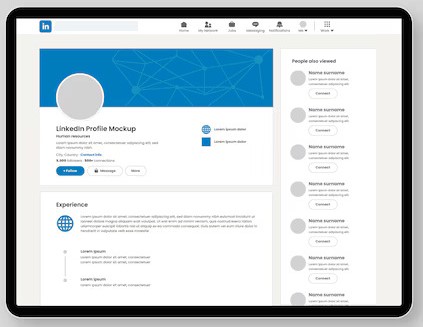
Before you even start applying, your profile needs work. Think of it as your resume, portfolio, and personal brand combined into one page that recruiters judge in about six seconds.
Start with a clear, keyword-rich headline instead of just your job title. Follow that with a summary that tells a story, not just a list of duties. Then, make sure your skills section reflects the exact terms recruiters search for in your industry.
Building a Recruiter-Friendly Headline
Your headline should include your role, your specialty, and a value statement. For example, instead of “Marketing Manager,” try “Marketing Manager | SEO & Content Strategy | Driving Organic Growth for SaaS Brands.” This small change dramatically increases how often you appear in relevant searches.
Step-by-Step: Finding the Right Job on LinkedIn
- Use the search bar with specific job titles rather than broad terms.
- Apply filters for location, experience level, and remote options.
- Save searches so LinkedIn Jobs alerts you when new listings match.
- Check the “About” section of the hiring company before applying.
- Personalize your application instead of using Easy Apply blindly.
- Follow up with a short message to the recruiter or hiring manager.
This process takes a bit longer than mass-applying, but it consistently produces better results because you’re showing genuine interest instead of blasting the same resume everywhere.
Benefits of Using LinkedIn Jobs
There are several reasons professionals continue to rely on this platform over others.
- Direct recruiter access: You can message hiring managers directly instead of waiting in an application queue.
- Company transparency: Reviews, employee insights, and salary ranges help you make smarter decisions.
- Networking advantage: Mutual connections can refer you internally, which significantly boosts your chances.
- Real-time alerts: Job alerts notify you the moment a relevant role goes live.
- Skill assessments: Verified badges next to your skills add credibility to your profile.
Common Mistakes to Avoid
Even experienced professionals fall into these traps when using LinkedIn Jobs.
First, using a generic, one-size-fits-all resume for every application. Recruiters can tell instantly, and it rarely leads anywhere. Second, ignoring the “About” section of your profile, leaving it blank or copied from someone else’s page.
Third, applying to jobs you’re clearly unqualified for just because Easy Apply makes it effortless. This can actually hurt how the algorithm ranks your profile over time. Fourth, not engaging with content on the platform at all, which reduces your visibility in recruiter searches since LinkedIn favors active users.
Expert Tips for Better Results
Career coaches and recruiters consistently recommend a few habits that separate successful job seekers from the rest.
Post occasionally about your industry, even a short comment on a relevant article helps. Turn on “Open to Work” but set it to recruiters only if you’re currently employed. Request recommendations from former managers or colleagues, since social proof carries real weight. Finally, tailor your resume’s keywords to match the exact job description, since LinkedIn Jobs and most applicant tracking systems scan for exact phrase matches.
LinkedIn Jobs vs Other Job Platforms
| Feature | LinkedIn Jobs | Indeed | Glassdoor |
|---|---|---|---|
| Direct recruiter messaging | Yes | Limited | No |
| Company reviews & salary data | Yes | Limited | Yes |
| Professional networking | Yes | No | No |
| Skill assessments | Yes | No | No |
| Passive candidate discovery | Yes | No | No |
As the table shows, LinkedIn Jobs stands out for professionals who want more than just a listing, they want visibility, networking, and credibility built into one platform.
Frequently Asked Questions
Is LinkedIn Jobs free to use?
Yes, browsing and applying to jobs through LinkedIn Jobs is completely free. However, LinkedIn Premium and Recruiter subscriptions offer extra features like InMail credits, applicant insights, and salary comparisons. Most job seekers can find and apply to plenty of opportunities without ever needing a paid plan, especially if their profile is well optimized and actively engaged with recruiters and relevant content.
How do I make my profile show up in more searches?
Complete every section of your profile, including a keyword-rich headline, detailed work history, and a skills list matching your target roles. Staying active by posting or commenting also boosts visibility since LinkedIn’s algorithm favors engaged users. The more complete and active your profile is, the more often it surfaces in recruiter and hiring manager searches on LinkedIn Jobs.
Should I use Easy Apply or apply directly on the company website?
Easy Apply is convenient, but applying directly through the company’s career page sometimes gives you an edge, since your application goes straight into their tracking system rather than through LinkedIn’s forwarding process. A good approach is using Easy Apply for volume while reserving personalized, direct applications for roles you’re genuinely excited about.
What does “Open to Work” actually do?
Turning on “Open to Work” signals to recruiters that you’re actively seeking opportunities. You can choose to make this visible to everyone with a green frame around your photo, or limit it to recruiters only, which keeps your job search private from your current employer while still boosting visibility to hiring professionals searching LinkedIn Jobs.
How often should I update my LinkedIn profile?
Update your profile whenever you gain a new skill, complete a project, or change roles. Even small updates every few weeks signal activity to the algorithm. Regular updates also keep your profile accurate for recruiters browsing LinkedIn Jobs, ensuring they see your most current experience and qualifications rather than outdated information.
Can recruiters see if I’ve applied to other jobs?
No, recruiters cannot see which other jobs you’ve applied to through LinkedIn Jobs. Your application history remains private between you and each individual employer. However, if you engage publicly with job posts or company pages, that activity may appear in your network’s feed depending on your privacy settings.
Why am I not getting responses after applying?
Low response rates usually stem from mismatched keywords, an incomplete profile, or applying to roles outside your experience level. Review the job description carefully, mirror its language in your resume, and ensure your profile tells a consistent, targeted story. Following up with a short, polite message to the recruiter can also improve your response rate significantly.
Summary
LinkedIn Jobs works best when you treat it as more than a place to submit applications. It rewards complete profiles, genuine engagement, and targeted searches over mass applying. By optimizing your headline, tailoring each application, and staying active on the platform, you position yourself as a candidate recruiters actively want to find rather than one lost in a pile of resumes.
Start today: update one section of your profile, whether it’s your headline or skills list, and watch how your visibility on LinkedIn Jobs begins to shift.
Discover more trending content only on WorldSnipes.