


Grok AI video generation capabilities 2026 have turned a chatbot sidekick into a genuine creative studio. What started as a novelty inside X has grown into a full production tool called Grok Imagine, built on xAI’s Aurora engine. If you have watched short, oddly cinematic clips pop up in your feed lately, complete with sound, dialogue, and music baked right in, there is a good chance Grok made them.
This guide breaks down exactly what Grok can do in 2026, where it still falls short, what it costs, and how it stacks up against Sora and Veo. Whether you are a marketer chasing scroll-stopping ads or a solo creator testing ideas fast, you will walk away knowing whether Grok belongs in your toolkit.
What Is Grok AI Video Generation, Exactly?
Grok AI video generation capabilities 2026 refer to the multimodal video features built into xAI’s Grok ecosystem, delivered primarily through Grok Imagine. Rather than producing a silent clip you then edit and score separately, Grok Imagine builds picture and sound together in one pass. That single detail changes the workflow more than people expect, because it removes an entire post-production step that other tools still require.
Grok Imagine handles four core workflows:
- Text-to-video: type a scene description, get a moving clip
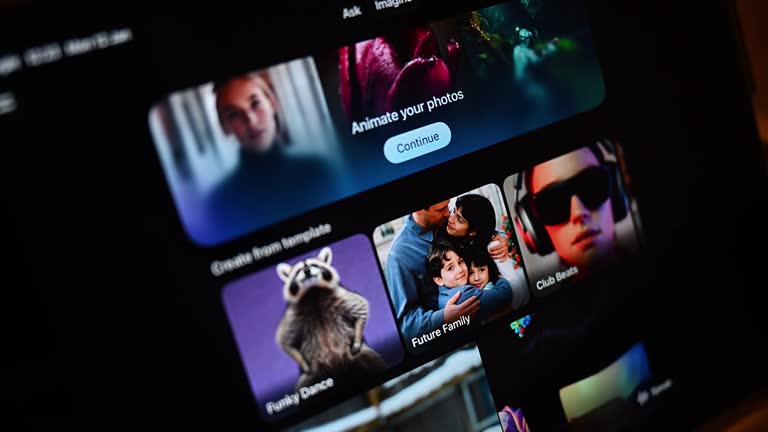
- Image-to-video: upload a photo or AI image and animate it
- Video extend: stretch a short clip into a longer sequence
- Video editing: restyle or modify existing footage with a text prompt
How Grok Imagine’s Aurora Engine Works
The Aurora autoregressive engine is the backbone of Grok AI video generation, trained on a cluster of roughly 110,000 NVIDIA GB200 GPUs, giving it the raw throughput to handle detailed motion and pixel-level changes quickly. In practical terms, that horsepower is why Grok can render a usable draft clip in seconds rather than minutes, which matters a lot if you are iterating on ten versions of a fifteen-second ad hook.
Grok AI Video Generation Capabilities 2026: Full Feature Breakdown
Here is what the current release actually supports, based on the latest documented specs.
1. Native audio synchronization. Grok doesn’t bolt sound on afterward. The platform supports native audio synchronization, so generated videos align more naturally with speech, sound effects, and background audio. That includes lip-synced dialogue and ambient noise that matches the mood of the scene.
2. Longer clips than before. Early Grok Imagine outputs were capped tightly, but the current version has stretched considerably. Grok Imagine 1.0 unlocked 10-second videos at 720p resolution with noticeably better audio, and the newer Video Extend feature pushes past that ceiling. Video Extend, added in March 2026, lets creators iteratively stretch a clip beyond its initial generation, chaining extensions up to a 30-second maximum.
3. Resolution capped at 720p. For editing workflows specifically, output resolution is capped at 720p with no current path to 1080p through standard API calls. Draft quality is genuinely solid at that resolution, but polished brand deliverables may still need an upscale pass.
4. Image-to-video control. Image-to-video is one of the most practical workflows because it gives creators direct control over identity, composition, and framing instead of leaving those details to chance.
5. Built-in safety review. Grok Imagine evaluates the likely output of a prompt, not just the text itself, and can halt generation before rendering if it detects risk. This is a meaningful shift from tools that only filter after the fact.
6. Aspect ratio and mode flexibility. Multiple aspect ratios and creative modes are supported, which is what makes Grok useful across TikTok, Instagram Reels, and YouTube Shorts without reformatting every clip by hand.
7. Volume at scale. Adoption has been fast. Grok Imagine generated 1.245 billion videos in a single 30-day window, a sign of how quickly short-form AI video has become mainstream.
Grok AI Video Generation Capabilities 2026: Length and Resolution Snapshot
| Spec | Current Capability |
|---|---|
| Clip length | 6–30 seconds (with Video Extend) |
| Base resolution | 480p–720p |
| Frame rate | 24 fps |
| Audio | Native, synced (dialogue, SFX, music) |
| Aspect ratios | Multiple, social-optimized |
| 1080p support | Not available via standard API |
Benefits of Using Grok AI Video Generation
The Grok AI video generation capabilities 2026 brought to the table offer several clear advantages over older, silent-video workflows:
- Speed: draft-to-clip in seconds, not hours, which is ideal for concept testing
- Sound in one step: no separate audio editing pass required, since picture and sound are handled together
- Chat-native workflow: image and video generation live in the same conversation, so you’re not juggling separate apps
- Strong for iteration: cheap enough to generate multiple variants and pick the best one
- Good identity control: image-to-video keeps faces, products, and framing consistent
Common Mistakes to Avoid
Even experienced users trip up on a few recurring issues:
- Expecting long-form output. Grok is not built for a five-minute short film. Treat it as a hook-and-teaser tool, not a narrative filmmaking replacement.
- Ignoring the quota penalty. Moderated or failed generations still count against your daily cap, and once you hit that limit, output quality can quietly drop.
- Over-vague prompts. Prompt engineering is genuinely the biggest skill gap here; vague descriptions produce generic motion and flat audio.
- Assuming 1080p is available. Planning a campaign around full HD output will lead to a rude surprise during editing.
- Skipping the free trial before committing. Since paid tiers vary widely in daily video allowances, testing before subscribing saves money.
Expert Tips for Better Results
- Write prompts like a director’s shot list: subject, action, camera movement, lighting, and mood, in that order.
- Ask for specific audio cues (“distant traffic hum,” “soft piano underscore”) rather than leaving sound to chance.
- Use image-to-video when brand consistency matters more than pure creativity.
- Generate short variations first, then extend only the version that already works.
- Build in buffer time for content moderation review, especially for anything involving realistic human faces.
- Treat the tool as a rapid-prototyping resource first, and a finishing tool second.
How to Generate Your First Grok AI Video
Ready to try the Grok AI video generation capabilities 2026 offers for yourself? Here’s the basic workflow from prompt to finished clip.
- Subscribe to a paid tier. Video generation requires SuperGrok ($30/month) or higher, since free-tier video access was removed in 2026.
- Open Grok Imagine inside the Grok app or on X, and choose text-to-video or image-to-video mode.
- Write a directed prompt. Include subject, action, camera movement, lighting, and mood — treat it like a shot list, not a caption.
- Add audio cues. Specify dialogue, ambient sound, or music directly in the prompt so Grok generates synced audio in the same pass.
- Generate a short draft first. Start with the base clip length before extending, so you’re not burning quota on a version that needs reworking.
- Review the output. Check framing, motion consistency, and audio sync before deciding whether to extend or regenerate.
- Use Video Extend if needed. Chain extensions to build toward the 30-second maximum, refining the prompt at each stage.
- Export at 720p. Remember there’s no native 1080p path yet, so plan any upscaling before publishing to platforms that expect full HD.
Grok AI Video Generation vs. Sora and Veo
| Feature | Grok Imagine | OpenAI Sora | Google Veo |
|---|---|---|---|
| Native audio | Yes, built-in | Limited/separate | Yes, built-in |
| Max clip length | Up to 30s (extended) | Varies by tier | Varies by tier |
| Resolution | Up to 720p | Up to 1080p+ | Up to 1080p+ |
| Chat-native workflow | Yes | Partial | Partial |
| Content moderation | Pre-render risk scoring | Post-generation filters | Post-generation filters |
Grok’s edge is speed and integrated audio; Sora and Veo currently lead on maximum resolution.
Grok AI Video Generation Pricing in 2026
Access to the Grok AI video generation capabilities 2026 unlocks requires a paid plan. Grok Imagine requires a SuperGrok subscription at $30 per month or higher, which unlocks full video access alongside enhanced image generation. Free-tier image and video generation was removed entirely in March 2026, so casual testing now requires at least an entry-level paid plan such as SuperGrok Lite.
Grok AI Video Generation Capabilities 2026: Is It Worth It?
In short: the Grok AI video generation capabilities 2026 offers have matured into a genuinely fast, audio-first toolset for short-form content, even if long-form filmmaking and 1080p exports remain out of reach for now. If your workflow leans on quick social hooks, product teasers, or rapid concept testing, Grok’s speed and built-in sound give it a real edge.
Frequently Asked Questions
What are the Grok AI video generation capabilities 2026 offers?
Grok AI video generation capabilities 2026 center on Grok Imagine: text prompts or reference images turned into short video clips complete with synchronized audio. It runs on the Aurora engine and supports text-to-video, image-to-video, and video extension. Unlike many competitors, sound is generated in the same pass as the visuals, so there is no separate audio editing step required before a clip is ready to share.
How long can Grok-generated videos be in 2026?
Base clips typically run 6 to 15 seconds, but the Video Extend feature allows creators to chain extensions up to a 30-second maximum. This makes Grok well suited to short-form hooks, teasers, and social clips rather than long narrative sequences. If you need a longer story, plan to stitch multiple extended clips together in a separate editor.
Does Grok Imagine include sound?
Yes. Native audio synchronization is one of Grok’s defining features, generating dialogue, ambient sound, and background music alongside the visuals in a single step. This differs from tools that produce silent video first and require a separate audio pass, which saves creators meaningful production time on short-form content.
What resolution does Grok Imagine support?
Grok Imagine currently outputs video up to 720p resolution. There is no standard API path to 1080p yet, so brand teams needing full HD deliverables may need to upscale the output afterward. For social platforms like TikTok and Instagram Reels, 720p is generally sufficient for direct publishing.
How much does Grok AI video generation cost?
Video generation requires a paid subscription, typically SuperGrok at $30 per month, which also includes enhanced image generation and other premium features. Lower tiers, like SuperGrok Lite, offer limited daily video allowances at lower resolution. Free-tier access to video generation was removed in early 2026.
How does it compare to Sora and Veo?
Grok’s main advantages are generation speed and built-in native audio, while Sora and Veo currently support higher maximum resolutions. Grok also keeps image and video generation inside the same chat interface, which streamlines the creative workflow compared to switching between separate tools.
Can Grok animate an existing photo into a video?
Yes, this is called image-to-video, and it is one of Grok’s most practical features. It gives creators direct control over identity, composition, and framing by starting from a real or AI-generated image rather than relying entirely on a text description.
Is it safe for brand or commercial use?
Grok Imagine includes a pre-render moderation system that evaluates likely output and halts risky generations before they render. Even so, brands should review platform content policies carefully, since moderation rules and enforcement have shifted multiple times through 2026.
Conclusion
Grok AI video generation capabilities 2026 have gone from a fun experiment to a legitimate part of the creative toolkit. It won’t replace a full production pipeline, and the 720p ceiling will frustrate anyone chasing polished, broadcast-ready output, but for fast, sound-synced, short-form content, it holds its own against Sora and Veo. Across text-to-video, image-to-video, and native audio, this tool keeps proving that speed and built-in sound matter as much as raw resolution. If you’re weighing whether to add the Grok AI video generation capabilities 2026 brings to your content stack, the smartest move is to test a few prompts on a lower-tier plan before committing to a full subscription — try it this week and see how it fits your workflow.
Discover more trending content only on WorldSnipes.