

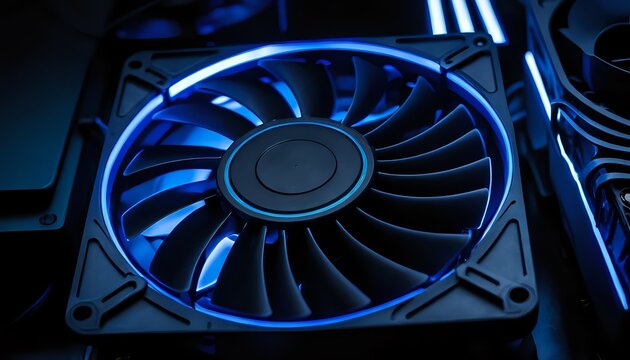
Pc fan noise is one of the most common problems computer users face, yet it is also one of the most misunderstood. A loud computer does not always mean something is broken, but it almost always means something needs attention. When your system suddenly starts sounding like a small engine instead of a quiet workstation, it is usually reacting to heat, airflow issues, or inefficient system behavior. Understanding the real causes behind the sound helps you fix the problem properly instead of relying on temporary solutions.
A quieter computer improves focus, comfort, and long-term hardware reliability. More importantly, it allows your components to operate efficiently without unnecessary stress. Many users are surprised to learn that reducing noise often improves performance at the same time.
Why Computers Become Noisy Over Time
When a computer is new, cooling systems operate smoothly because airflow is unobstructed and components are clean. Over months or years of usage, small changes begin to affect thermal performance.
Every processor and graphics card produces heat during operation. Cooling fans automatically adjust their speed depending on temperature. If heat builds up faster than expected, fans spin faster to compensate. This automatic response is normal, but problems arise when fans must stay at high speeds constantly.
Dust buildup is one of the biggest contributors to increasing noise levels. Imagine trying to breathe through a cloth covering your face. Air still passes through, but it requires more effort. The same principle applies inside a computer case. Dust blocks ventilation pathways and coats heat sinks, making cooling less efficient.
Another factor is component aging. Fan bearings slowly wear down after thousands of hours of spinning. The result is vibration, humming, or rattling sounds that were not present when the system was new.
Software usage also evolves over time. Installing more programs, browser extensions, and background services increases workload, which indirectly increases cooling demand.
Understanding PC Fan Noise and What Each Sound Means
Pc fan noise is not just random sound; it often provides clues about what is happening inside your system. Learning to recognize these patterns helps you diagnose problems early.
A steady airflow sound usually indicates normal operation under moderate workload. For example, during gaming or video rendering, fans naturally increase speed because hardware generates more heat.
A sudden loud burst followed by silence often happens when fan curves are poorly configured. The system reacts aggressively to small temperature changes instead of adjusting gradually.
Grinding or buzzing sounds typically point toward worn bearings. This type of noise usually grows worse over time and eventually requires fan replacement.
Clicking noises may occur when cables or loose components touch spinning blades. This issue is simple but important to fix quickly because it can damage the fan.
By paying attention to sound characteristics rather than just volume, users can identify the root cause much faster.
How Airflow Design Affects System Silence
Many people assume adding more fans automatically makes a computer cooler and quieter. In reality, airflow balance matters far more than fan quantity.
A properly designed airflow system moves cool air into the case from one direction and pushes warm air out through another. When intake and exhaust airflow are balanced, heat exits efficiently and fans can run at lower speeds.
Consider two scenarios. In the first, a case has organized airflow with clear pathways. Air travels smoothly across components and exits quickly. In the second, cables block airflow and fans push air in conflicting directions. Heat becomes trapped, forcing all fans to spin faster.
Cable management therefore plays an important role in acoustic performance. Neatly routed cables allow air to move freely, reducing turbulence and noise.
Case placement also matters. A computer placed inside a closed cabinet recycles hot air, making cooling systems work harder. Simply moving the case into open space can noticeably reduce sound levels.
Dust Cleaning: A Small Task With Big Results
Many users search for complicated fixes while ignoring the simplest solution: cleaning. Dust accumulation gradually reduces cooling efficiency, but cleaning often restores performance instantly.
When dust settles on fan blades, it changes their balance slightly. This imbalance creates vibration and increases sound output. Dust covering heat sinks traps heat, forcing fans to run continuously at higher speeds.
Cleaning should be done carefully using compressed air. Short bursts remove debris without damaging sensitive components. Holding fans still while cleaning prevents overspinning, which can harm bearings.
For example, a gaming PC used daily in a carpeted room may collect enough dust within three months to noticeably increase fan speed. After cleaning, temperatures often drop several degrees, allowing quieter operation immediately.
Regular maintenance prevents small issues from turning into persistent noise problems.
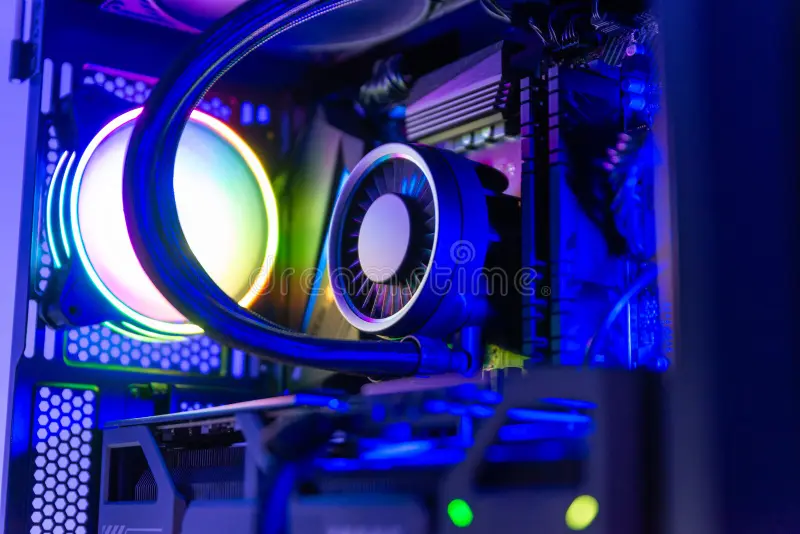
Adjusting Fan Curves for Smarter Cooling
Modern computers include intelligent fan control systems through BIOS or motherboard software. However, default settings are designed for safety rather than comfort.
Manufacturers often configure fans to respond aggressively to temperature changes. A small temperature spike can trigger maximum speed, creating sudden noise.
Custom fan curves solve this problem by allowing gradual speed increases. Instead of jumping from silent to loud instantly, fans ramp up smoothly as temperatures rise.
For example, a CPU reaching 50°C does not require maximum cooling. Setting fans to increase slowly between 40°C and 70°C keeps temperatures safe while maintaining quiet operation during everyday tasks.
Monitoring software helps users understand temperature behavior during gaming, editing, or browsing. Once patterns become clear, fan adjustments become easier and more effective.
Hardware Upgrades That Truly Reduce Pc Fan Noise
Not all upgrades improve acoustics, but certain changes deliver noticeable results.
High-quality fans use advanced bearing designs that reduce friction. These fans maintain consistent airflow while producing softer sound profiles. Replacing older fans often eliminates rattling instantly.
Larger fans provide another advantage. A bigger fan can move the same amount of air at lower speeds compared to smaller models. Lower speed means less turbulence and less noise.
CPU cooling upgrades also make a significant difference. Stock coolers are designed to meet minimum cooling requirements at low cost. Aftermarket air coolers distribute heat more efficiently, allowing slower fan rotation.
Power supply units are frequently overlooked sources of sound. Older or inefficient power supplies generate excess heat, causing internal fans to activate frequently. Upgrading to a high-efficiency unit can quietly reduce overall system noise.
Environmental Factors That Influence Computer Sound
Many users focus only on internal components, but external conditions also affect perceived loudness.
Room temperature plays a major role. A computer operating in a warm environment must work harder to cool itself. During hot weather, fans naturally run faster even if nothing else changes.
Desk materials can amplify vibration. Hollow desks often act like echo chambers, making normal fan operation seem louder. Placing rubber pads under the case absorbs vibration and reduces resonance.
Room acoustics matter as well. Hard surfaces reflect sound waves, while curtains, carpets, and furniture absorb them. Adjusting the environment can make a noticeable difference without touching the computer itself.
Common Mistakes People Make While Trying to Fix Pc Fan Noise
Many quick fixes actually worsen the problem. One common mistake is running fans at maximum speed permanently. While temperatures may drop slightly, constant high RPM increases wear and creates unnecessary noise.
Another mistake involves installing too many fans without airflow planning. More fans can create turbulence if airflow directions conflict.
Incorrect thermal paste application also causes overheating symptoms. Proper application ensures efficient heat transfer between processor and cooler, allowing fans to operate normally.
Ignoring software optimization is another oversight. Background applications consuming resources generate heat continuously, forcing cooling systems into constant activity.
Long-Term Habits for Maintaining a Quiet Computer
Quiet performance comes from consistency rather than one-time solutions. Establishing simple habits keeps systems running smoothly.
Cleaning dust periodically prevents airflow restriction. Monitoring temperatures occasionally helps detect unusual changes early. Updating drivers and firmware ensures cooling algorithms remain optimized.
Listening carefully to subtle sound changes is surprisingly useful. A new vibration or pitch change often signals wear long before failure occurs. Addressing issues early prevents expensive repairs later.
Users who maintain their systems regularly often experience fewer overheating problems and significantly less pc fan noise over time.
Balancing PC Fan Noise And Performance
Absolute silence is unrealistic for powerful computers, especially during demanding workloads. Gaming, video editing, and rendering naturally generate heat, requiring active cooling.
The goal is balance. Efficient airflow, smart fan curves, and clean components allow cooling systems to operate quietly most of the time while still responding effectively under heavy load.
When cooling works efficiently, fans operate predictably instead of aggressively. The system feels calm, stable, and comfortable to use.
Conclusion
Excessive pc fan noise is usually a symptom rather than the core problem. Dust buildup, airflow imbalance, inefficient settings, aging hardware, and environmental conditions all contribute to rising sound levels. The good news is that most solutions are simple, affordable, and highly effective.
By understanding how cooling systems function and applying thoughtful improvements, users can transform a loud computer into a quiet and reliable machine. Regular maintenance, smarter airflow design, and balanced cooling strategies not only reduce noise but also extend hardware lifespan and improve overall performance.
A quieter PC is not achieved through one dramatic change but through small, consistent optimizations that work together. With the right approach, your computer can remain cool, efficient, and pleasantly quiet for years to come.
Stay updated and explore more amazing content on the WorldSnipes.
